How to Subscribe to a Calendar by Link: ICS and webcal Explained
Many calendars can be shared as a link: an address ending in .ics, or starting with webcal://. An app given that link fetches the calendar itself, and fetches it again later, so when the original changes the copy follows. Increment can keep any calendar with a link in sync and plan your work around it.
A calendar link is not a calendar file
- An .ics file is a snapshot. Importing it gives you the events as they were on the day it was saved, and nothing after. In Increment that is Settings → Import calendar…, which needs no account.
- An .ics link is the address the calendar is published at. Subscribing to it means the app reads it again and again, so new events, changes and cancellations arrive on their own.
- A webcal:// link is the same kind of address with a different prefix, which tells a phone to subscribe rather than download. Increment accepts both, and fetches
webcal://addresses overhttps://.
Where to find a calendar’s link
Step-by-step guides for the common sources:
- iCloud calendars, from an iPhone, iPad, Mac or iCloud.com
- Google Calendar, whose link is called the secret address in iCal format
- Outlook and Microsoft 365, which publishes a calendar as an ICS link
- University and college timetables
- UK bank holidays, published by GOV.UK
Elsewhere, look for Subscribe, iCal feed, Calendar feed or Add to calendar. Sports clubs, schools, rota apps and booking systems often have one.
Add the link to Increment
- Sign in, if you have not already: open Settings (the gear in the toolbar) → Account & sync, enter your email, press Send link, and open the link from that email on the same device. A calendar link needs an account because Increment’s server keeps the link, encrypted, and fetches the calendar for you.
- Open Settings → Connected calendars… (on a phone, the Settings tab → Connected calendars).
- Under Subscribe by link, paste the link and press Subscribe.
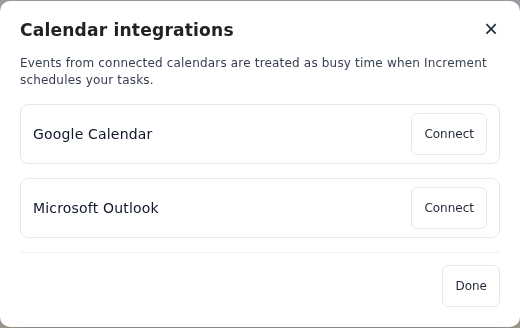
The calendar’s events appear straight away. Increment checks it for changes when you open the app and every few minutes while it is open, and plans your tasks around it the next time you press Reschedule. It only reads the calendar; nothing is ever written back.
What Increment does with a subscribed calendar
- Busy events hold time; free ones do not. An event its calendar marks as free (or available) is shown but does not stop Increment scheduling over it. A busy all-day event holds the whole day.
- It keeps the last few weeks and about the next three months. Later events appear as they get closer.
- The events are the calendar’s, not yours to move. Open one to read its details and any meeting link; change it where it came from.
- Untick a calendar to stop it counting without removing it. Tick it again and its events come back.
Treat a private link like a password
Anyone who has a private calendar link can read that calendar. Increment stores the link encrypted and never shows it again, to you or anyone else.
Removing a link from Increment does not switch it off. It deletes Increment’s copy. If a link was shared by mistake, reset or unpublish it where you got it; the guides above say how for each source.
Links Increment cannot use
- Plain
http://links. The link would travel unencrypted. Try thehttps://orwebcal://version. - Links with a username and password in them.
- More than ten on one account.
A calendar that one of your calendars subscribes to is not part of it. Publishing a calendar publishes only its own events, so a team’s fixture list your iPhone subscribes to needs its own link in Increment.
Questions
What is the difference between an .ics file and an .ics link?
A file is a copy of a calendar at one moment; importing it never updates. A link is where the calendar is published, and an app subscribed to it reads it again regularly, so changes come through on their own.
What is a webcal:// link?
An ordinary calendar address with a prefix that tells a phone to subscribe to it rather than download it. Increment accepts webcal:// links and fetches them over https://.
Does Increment change my calendar?
No. It reads subscribed calendars and never writes to them.
Will events appear twice if I also connect the account?
Yes. If one calendar reaches Increment by two routes, for example a connected Outlook account and the same calendar’s published link, its events appear twice and both hold time. Use one route per calendar.
Add a task with a deadline and press Reschedule. Increment plans it around everything in your calendars.
Get started with Increment