How to Add UK Bank Holidays to Your Calendar Automatically
GOV.UK publishes the official bank holidays as calendar links, one for each part of the UK. Subscribe to yours in Increment and it will not plan any work on a bank holiday.
The links
- England and Wales:
https://www.gov.uk/bank-holidays/england-and-wales.ics - Scotland:
https://www.gov.uk/bank-holidays/scotland.ics - Northern Ireland:
https://www.gov.uk/bank-holidays/northern-ireland.ics
They are the same links as the Add bank holidays … to your calendar buttons on gov.uk/bank-holidays. These are public: there is nothing private in them.
Add the link to Increment
- Sign in, if you have not already: open Settings (the gear in the toolbar) → Account & sync, enter your email, press Send link, and open the link from that email on the same device. A calendar link needs an account because Increment’s server keeps the link, encrypted, and fetches the calendar for you.
- Open Settings → Connected calendars… (on a phone, the Settings tab → Connected calendars).
- Under Subscribe by link, paste the link and press Subscribe.
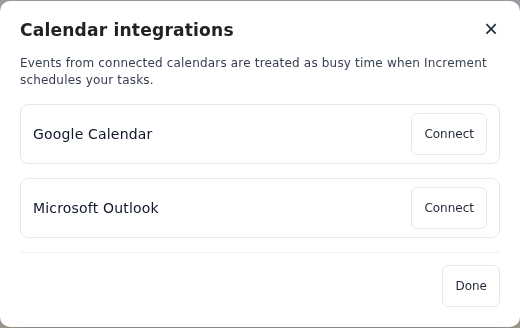
The calendar’s events appear straight away. Increment checks it for changes when you open the app and every few minutes while it is open, and plans your tasks around it the next time you press Reschedule. It only reads the calendar; nothing is ever written back.
What happens on a bank holiday
Each bank holiday arrives as an all-day event that counts as busy, so Increment schedules no tasks or goals that day — personal goals included. Work already planned for that day moves the next time you press Reschedule; anything you pinned stays where it is.
When a bank holiday falls at a weekend, GOV.UK’s calendar puts it on the weekday that replaces it: in 2026, Boxing Day is on Monday 28 December. Increment keeps about the next three months, so later holidays appear as they get closer. GOV.UK adds each year’s dates to the same links, so there is nothing to renew.
To see bank holidays without keeping them free
Google’s Holidays in United Kingdom calendar marks every holiday as free, so in Increment its days are shown but can still be planned. Its public address is:
https://calendar.google.com/calendar/ical/en.uk%23holiday%40group.v.calendar.google.com/public/basic.ics
It covers all four nations in one calendar and includes observances as well as bank holidays: Valentine’s Day, Mother’s Day, the clocks changing, Halloween. Add one holiday calendar or the other, not both, or each bank holiday appears twice. What Increment does with a subscribed calendar.
Questions
Do I need to update the calendar each year?
No. GOV.UK adds new years to the same links; the England and Wales calendar already runs to 2028.
Will Increment still schedule my gym sessions on a bank holiday?
Not with GOV.UK’s calendar: its holidays count as busy, which keeps the whole day free of tasks and goals. Google’s UK holidays calendar marks them free instead, so they are shown but can still be planned.
Are substitute days included?
Yes. When a bank holiday falls at a weekend, GOV.UK’s calendar lists it on the weekday that replaces it.
Add a task with a deadline and press Reschedule. Increment plans it around everything in your calendars.
Get started with Increment