Free printable calendar
Weekly or monthly, as many as you need, no sign-up.
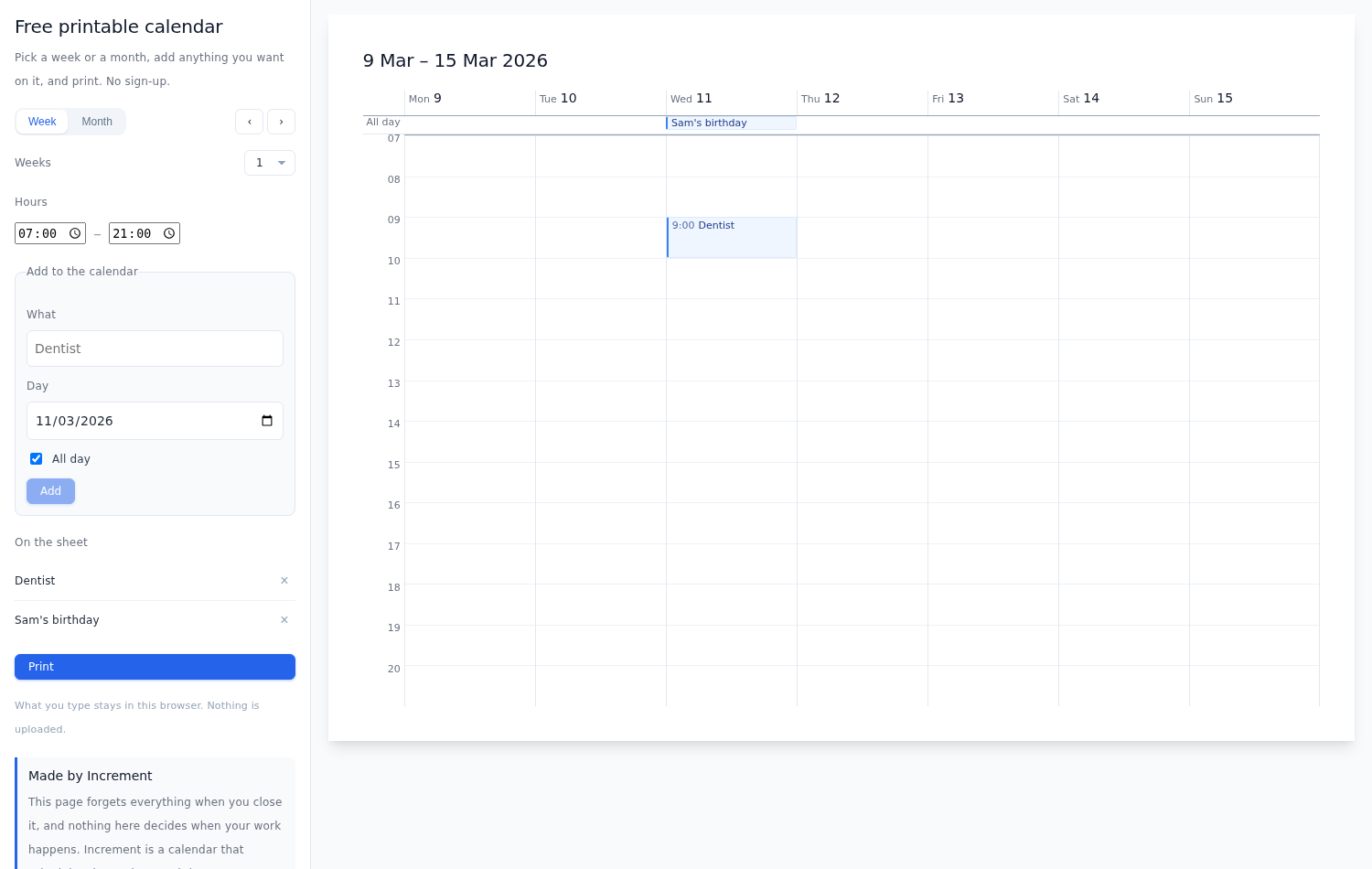
What prints
One landscape page per period, either:
- A week — seven day columns with hour rows.
- A month
Set Weeks or Months to print multiple weeks or months in one go.
Nothing on the sheet needs colour to be read. Tick Background graphics in your browser’s print dialog if you want the colour fills as well.
Adding your own events
Drag across the calendar to block out time, the way you would in any calendar app. Drag across days in the month view for something that runs all day: this prints as a banner across the days it covers rather than at a particular time. Anything already on the calendar can be dragged somewhere else.
Already have the events somewhere? Import a calendar file. Google, Outlook and Apple all export .ics.
What you type stays in your browser. Nothing is uploaded, and nothing is kept once you close the tab — so this is a sheet to print, not a calendar to keep.
Scheduling your tasks around your events
Add what has to get done and roughly how long it takes, and press Build my schedule: Increment finds the time for each piece around the events you have already put down, and puts it on the page. Move anything that doesn't work, add more, and build it again.
How to print it
- Set the week or the month you want, and how many.
- Add events and work, or skip straight past both.
- Press Print, or Ctrl/Cmd + P.
- Leave the orientation on landscape. Each sheet is sized to the page, so A4 and Letter both come out one period to a page, with no blank sheets between them.
Don't know when to get everything done? See the free schedule maker.
This is one calendar. Increment doesn't sit still.
Print this and it's frozen the second it comes off the printer. Increment moves with you — shift one thing, and it reschedules the rest.
Questions
Is the printable calendar really free?
Yes. There is no sign-up, no email field and no watermark. It is made by Increment, a paid calendar app.
Can I put my own events on it?
Yes. Drag across the calendar to block out time, or import an .ics file from Google, Outlook or Apple. What you add stays in your browser — nothing is uploaded and nothing is kept once you close the tab.
What paper size does it print on?
Whatever your printer’s default is. A4 and Letter both fit one period to a page. Each sheet is sized to the page rather than to a fixed paper name.