Free schedule maker
Build a schedule from your to-do list automatically. No sign-up.
Traditional schedule makers give you an empty grid and make you block out time yourself. This one decides for you: say what has to get done and roughly how long it will take, and it places each piece around the fixed events you can't move.
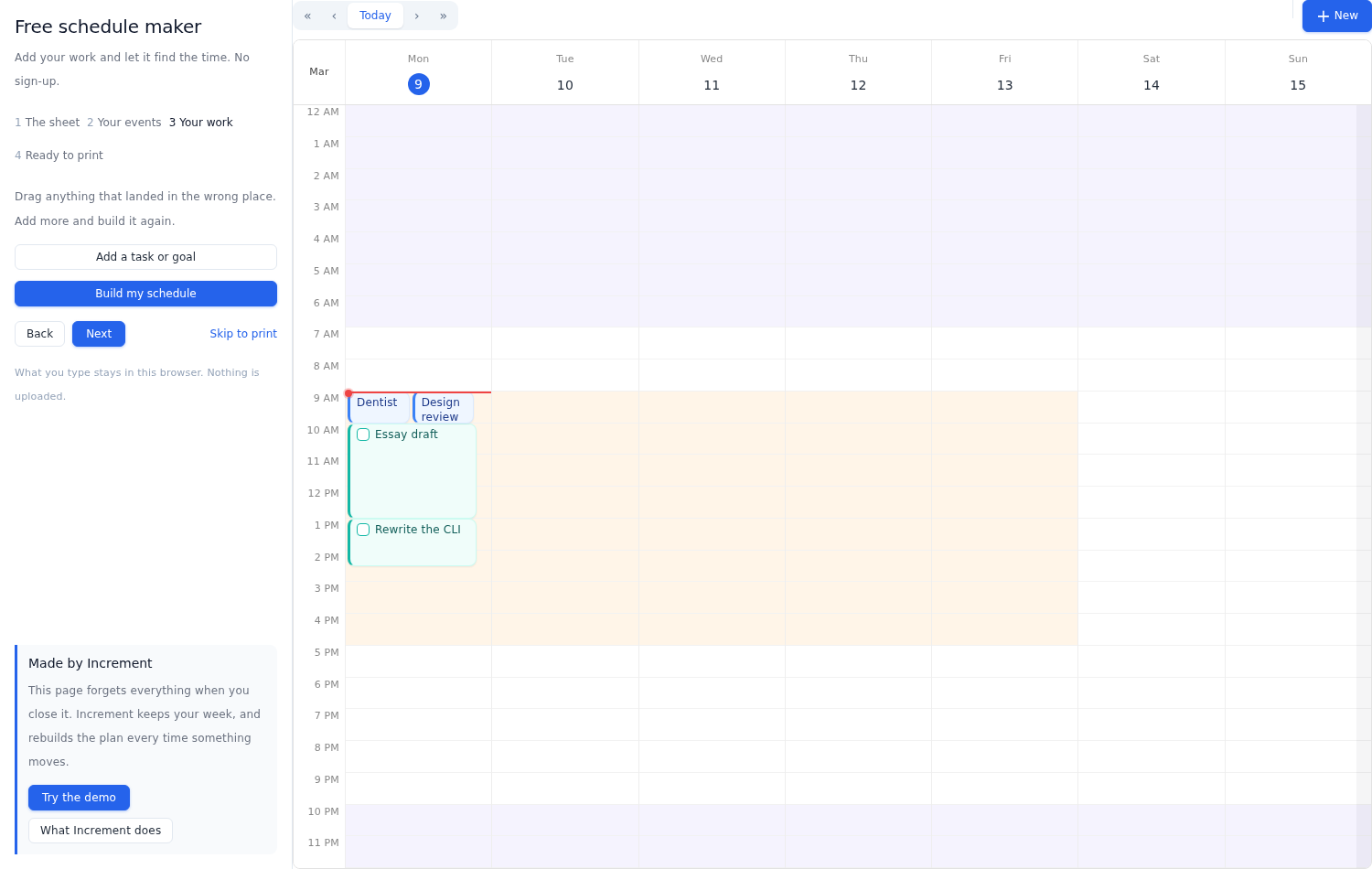
How the schedule is made
The schedule is designed by the Increment engine. This considers multiple factors to decide when the best time to get each piece of work done is:
- A duration dictates how long the work is predicted to take.
- A deadline — it schedules the work before the deadline, and tells you when it cannot.
- How urgent it is — five steps, and the urgent things get first pick of the good hours.
- Whether it can be split — a three-hour job can be broken across several slots, or kept in one, and you set the smallest piece worth starting.
- Plus advanced controls including earliest start date, task dependencies and recurring tasks.
- A goal instead of a task — descried using sessions: for example, three forty-five-minute runs a week will be spread out across your free time during the week.
The scheduler puts your work between 7am and 10pm. If you need your schedule to consider custom hours for different types of work (for example, keep work tasks within 9am to 5pm, or exercise during personal time) then you might want to try Increment.
Try the demo — no sign-up What Increment doesStart with your fixed events
Include your fixed meetings and appointments so that the engine knows what to schedule around. Drag across the calendar to block out a meeting, or import an .ics file — Google, Outlook and Apple all export one. The scheduler treats your events as fixed and plans your to-do list around them.
Add your to-do list and goals
Tell the engine everything you want to get done, and it will block in when you should do it around your fixed events.
Then move what it got wrong
Drag any block where you want it and it stays put: building the schedule again works around it instead of moving it back. Add more work and build again as many times as you like.
When it looks right, print it.
Want to fill an empty week in by hand instead? See the free printable calendar.
This is one week. Increment never resets.
Close this tab and the plan's gone. Increment keeps it — and when something moves, it reschedules around it. No rebuilding from scratch.
Questions
What does the schedule maker actually decide?
Where each piece of work goes. You give it a length, and optionally a deadline and how urgent it is; it places the work in your free hours, ahead of its deadline, around anything already on the calendar. It never books over an event you have marked as busy, and it never schedules you overnight.
Do I have to connect my calendar or sign up?
No. There is no account and no connection. You can type your fixed commitments in, or import an .ics file from Google, Outlook or Apple — either way it stays in your browser and nothing is uploaded.
Can I change what it picked?
Yes. Drag any block where you want it and it stays there — building the schedule again works around it rather than moving it back. Add more work and build again as often as you like.