How to Get an ICS Link for Your Outlook Calendar
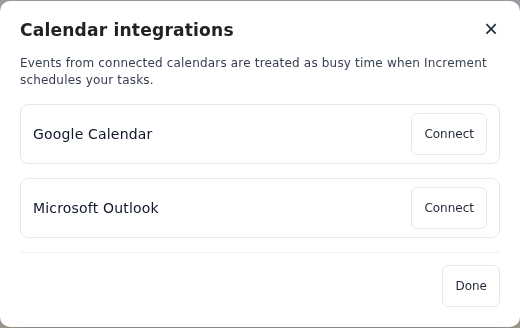
Outlook can publish a calendar as a link: an ICS address that other apps read to stay in sync. Increment can also connect an Outlook or Microsoft 365 account directly (Settings → Connected calendars… → Connect beside Microsoft Outlook), which is the simpler route. A published link is the alternative when your organisation will not let you connect apps, or when you want Increment to see only when you are busy.
Publish the calendar
In Outlook on the web or Outlook.com:
- Go to Calendar.
- Select Settings → Calendar → Shared calendars.
- Under Publish a calendar, choose the calendar and how much detail people can see.
- Select Publish.
- Copy the ICS link. The HTML link is a web page for people to look at, not a calendar for an app.
How much detail to publish
Anyone with the link sees whatever level you choose:
- Can view when I’m busy — Increment knows when you are taken, without meeting titles. Enough to plan around.
- Can view titles and locations — adds what each meeting is and where.
- Can view all details — adds descriptions, where meeting links usually are.
Add the link to Increment
- Sign in, if you have not already: open Settings (the gear in the toolbar) → Account & sync, enter your email, press Send link, and open the link from that email on the same device. A calendar link needs an account because Increment’s server keeps the link, encrypted, and fetches the calendar for you.
- Open Settings → Connected calendars… (on a phone, the Settings tab → Connected calendars).
- Under Subscribe by link, paste the link and press Subscribe.
The calendar’s events appear straight away. Increment checks it for changes when you open the app and every few minutes while it is open, and plans your tasks around it the next time you press Reschedule. It only reads the calendar; nothing is ever written back.
If Publish a calendar is missing
On a work or school account, your organisation may not allow calendars to be published. Ask your IT team, or try connecting the account in Increment instead.
To stop publishing
In the same place — Settings → Calendar → Shared calendars — select Unpublish under Publish a calendar. The link stops working for everyone, Increment included. What Increment does with a subscribed calendar.
Questions
Should I connect my Outlook account or use a published link?
Connecting is simpler and lets you tick calendars from a list. A link is one calendar at the level of detail you publish, and works when your organisation blocks app connections. Use one or the other for each calendar, not both, or its events appear twice.
Can people who have the link change my calendar?
No. Published HTML and ICS calendars are read-only, and Increment never writes to a calendar.
Does a busy-only calendar still block time in Increment?
Yes. Increment needs to know when you are busy, not what the meetings are.
Add a task with a deadline and press Reschedule. Increment plans it around everything in your calendars.
Get started with Increment