How to Find Your Google Calendar iCal Link (the Secret Address)
Every Google calendar has a private link, which Google calls the secret address in iCal format. Any app given it can read the calendar and keep up with changes. It is the way to get a Google calendar into Increment today: connecting a Google account directly is still waiting on Google’s verification, and the secret address works for everyone now.
Anyone who has the secret address can read the calendar. Google says not to share it. Increment stores it encrypted and never shows it again.
Find the secret address
This needs Google Calendar in a web browser on a computer; the phone apps do not show it.
- Open calendar.google.com.
- At the top right, click the Settings gear, then Settings.
- On the left, under Settings for my calendars, click the calendar you want.
- Click Integrate calendar.
- Under Secret address in iCal format, copy the link.
Each calendar has its own address. Repeat for every calendar you want Increment to plan around.
Add the link to Increment
- Sign in, if you have not already: open Settings (the gear in the toolbar) → Account & sync, enter your email, press Send link, and open the link from that email on the same device. A calendar link needs an account because Increment’s server keeps the link, encrypted, and fetches the calendar for you.
- Open Settings → Connected calendars… (on a phone, the Settings tab → Connected calendars).
- Under Subscribe by link, paste the link and press Subscribe.
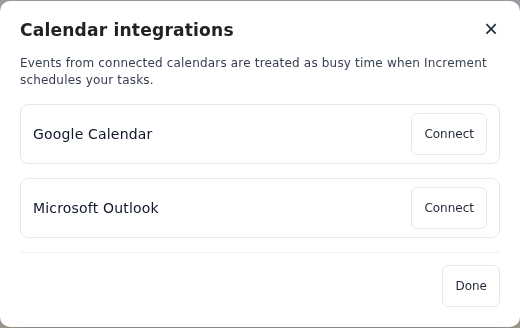
The calendar’s events appear straight away. Increment checks it for changes when you open the app and every few minutes while it is open, and plans your tasks around it the next time you press Reschedule. It only reads the calendar; nothing is ever written back.
If there is no secret address
On a Google account from work, school or another organisation, the administrator may have changed the calendar’s sharing settings so the secret address is hidden. Google’s advice is to ask them.
If the address leaks
Click Reset beside it, in the same place. The old address stops working everywhere, Increment included, which will then say Link no longer works. Remove the calendar from Increment and add the new address.
What comes through
- Events marked Busy in Google Calendar hold time in Increment; events marked Free are shown but do not.
- An event’s description arrives as text, and a Google Meet or Zoom link in it becomes a join link you can open from the event in Increment.
What Increment does with a subscribed calendar.
Questions
Is the secret address the same as the public address?
No. The public address works only if you make the calendar public, and is meant for sharing. The secret address works for a private calendar and is meant only for you.
Can I get the secret address in the Google Calendar app?
No. It is only in Google Calendar’s settings on the web, on a computer.
Why not connect my Google account to Increment instead?
Increment’s direct Google connection is going through Google’s verification and is open only to a short list of testers until it clears. The secret address brings the same events in for everyone now.
Add a task with a deadline and press Reschedule. Increment plans it around everything in your calendars.
Get started with Increment