How to Get a Link to Your iCloud Calendar (iPhone, iPad, Mac)
The calendars on an iPhone each belong to an account: iCloud, Google, Exchange, or the phone itself. An iCloud calendar can be made public, which gives it a link that starts webcal://. Add that link to Increment and the calendar stays in sync, including events added later on your phone.
A public calendar can be read by anyone who has its link. The link is long and hard to guess, but treat it like a password: paste it into Increment and nowhere else.
Check that it is an iCloud calendar
In the Calendar app, tap Calendars. Calendars are listed under the account they belong to. Only the ones under iCloud can be made public this way.
- A Google calendar on your phone: get its Google link instead.
- An Exchange, Outlook or Microsoft 365 calendar: publish it from Outlook, or connect the account in Increment directly.
- A calendar stored only on the device has no link to share.
On iPhone or iPad
- Open the Calendar app and tap Calendars.
- Tap the Info button (ⓘ) next to the iCloud calendar.
- Turn on Public Calendar.
- Tap Share Link and copy it, or send it to yourself to open on another device.
On a Mac
- Open Calendar. If the list of calendars is hidden, choose View > Show Calendar List.
- Hold the pointer over the calendar’s name and click the Share button.
- Select Public Calendar.
- Click the Share button beside it and choose how to send yourself the link.
- Click Done.
On iCloud.com, from any computer
- Go to icloud.com/calendar and sign in.
- Select the Calendar Information button next to the calendar’s name.
- Turn on Public Calendar.
- Select Copy.
Add the link to Increment
- Sign in, if you have not already: open Settings (the gear in the toolbar) → Account & sync, enter your email, press Send link, and open the link from that email on the same device. A calendar link needs an account because Increment’s server keeps the link, encrypted, and fetches the calendar for you.
- Open Settings → Connected calendars… (on a phone, the Settings tab → Connected calendars).
- Under Subscribe by link, paste the link and press Subscribe.
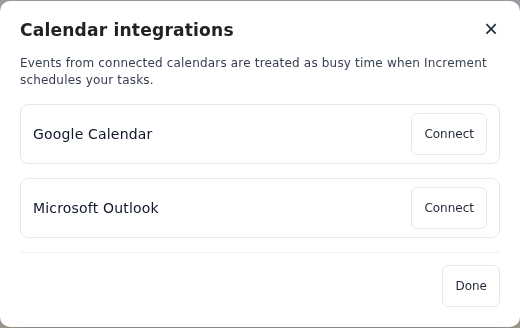
The calendar’s events appear straight away. Increment checks it for changes when you open the app and every few minutes while it is open, and plans your tasks around it the next time you press Reschedule. It only reads the calendar; nothing is ever written back.
Calendars your iPhone subscribes to
A calendar your phone subscribes to — a club’s fixtures, a school’s term dates — is a separate calendar, not part of your iCloud one. Making your iCloud calendar public does not include it. Add its link to Increment separately, taking it from wherever you first subscribed: the website or email that offered it.
To stop sharing
Turn Public Calendar off in the same place. The link stops working for everyone, Increment included; remove the calendar from Increment’s list too. What Increment does with a subscribed calendar.
Questions
Why can’t I see Public Calendar?
The option appears only for iCloud calendars. A calendar from a Google or Exchange account, or one stored only on the device, is shared from its own service instead.
Does Increment see my other iCloud calendars?
No. Each calendar has its own link, and Increment reads only the ones whose links you add.
Do I have to keep my iPhone on?
No. Increment reads the published copy that iCloud keeps, so it stays in sync whether or not your phone is on.
How quickly do changes appear?
Increment checks the link when you open it and every few minutes while it is open. How soon iCloud updates the published copy after you edit an event is up to Apple.
Add a task with a deadline and press Reschedule. Increment plans it around everything in your calendars.
Get started with Increment