The calendar that fills itself in.
Add your to-do list. Increment finds the time to get things done around the events you can’t move.
How Increment plans your week
Everything in Increment is an event, a task or a goal. Events are fixed, tasks and goals are flexible. Increment schedules your flexible work around your fixed commitments.
Events
Meetings and appointments. These are never moved; the rest of your week is planned around them.
- Syncs from Outlook and Microsoft 365
- Stays in sync with any calendar link: iCloud, Google, your timetable
- Import an .ics file
- Repeated and all-day events
Tasks
These are your to-dos. Increment works out when the best time to get them done is.
- Prioritised by deadline and urgency
- Long jobs split around your day
- Supports other tasks as dependencies
- Recurring tasks for daily or weekly jobs
Goals
How you want to spend your spare time.
- Set the target number of sessions and session length
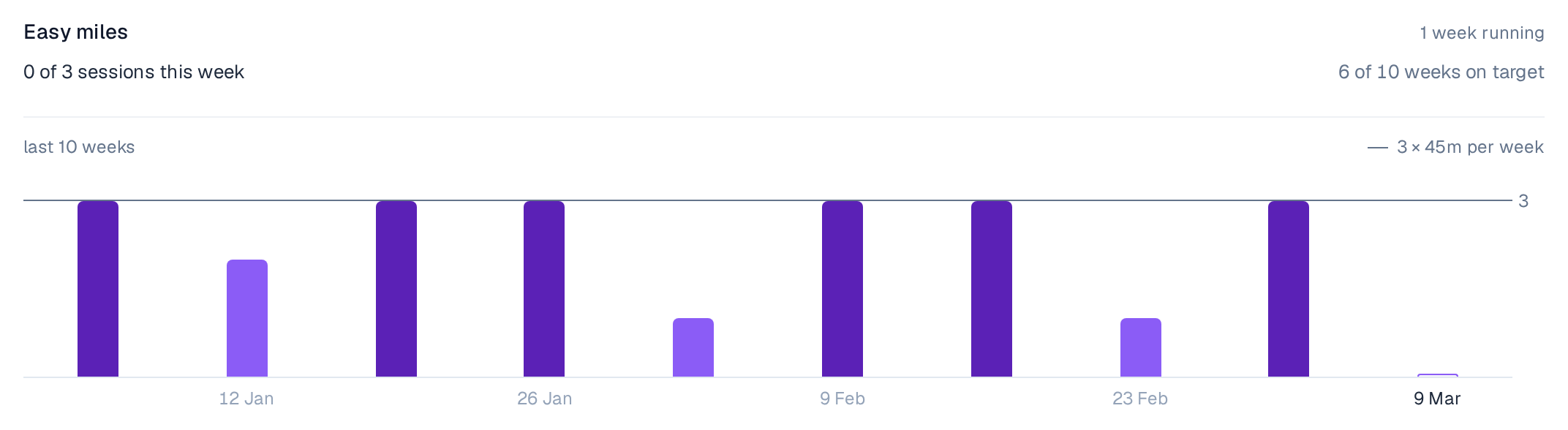
- Streaks and analytics to stay motivated
Then press Reschedule
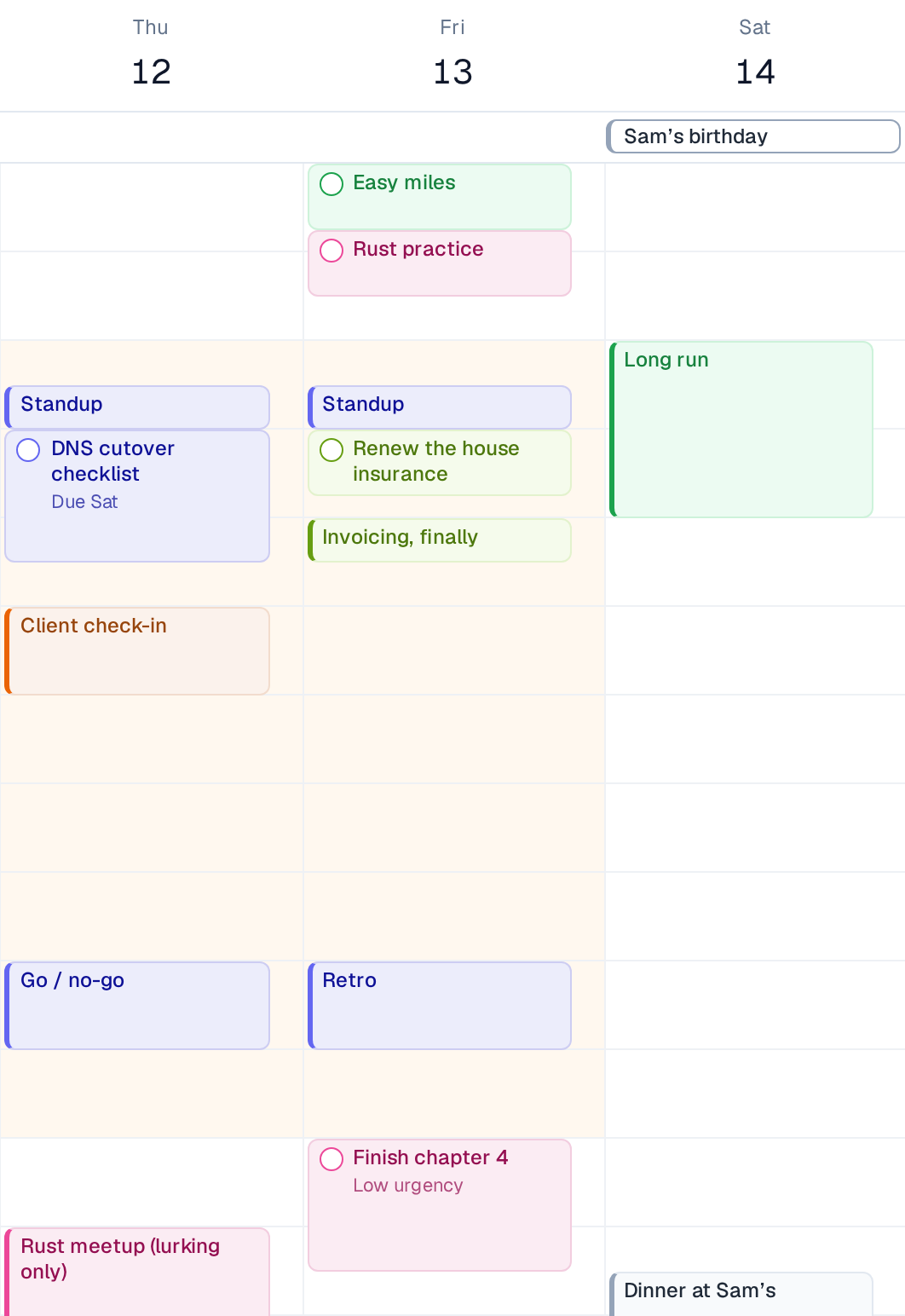
Your tasks and goals drop into the gaps between events, soonest deadline first, splitting anything too long for one block.
When plans change, the week reschedules itself
Move one thing and Increment reshuffles every flexible task around it. Pin something to keep it where it is.
Sync your iCloud, Google, Outlook or university calendar
Paste a calendar link to keep your events in sync and let Increment plan around your life.
Organise work into projects
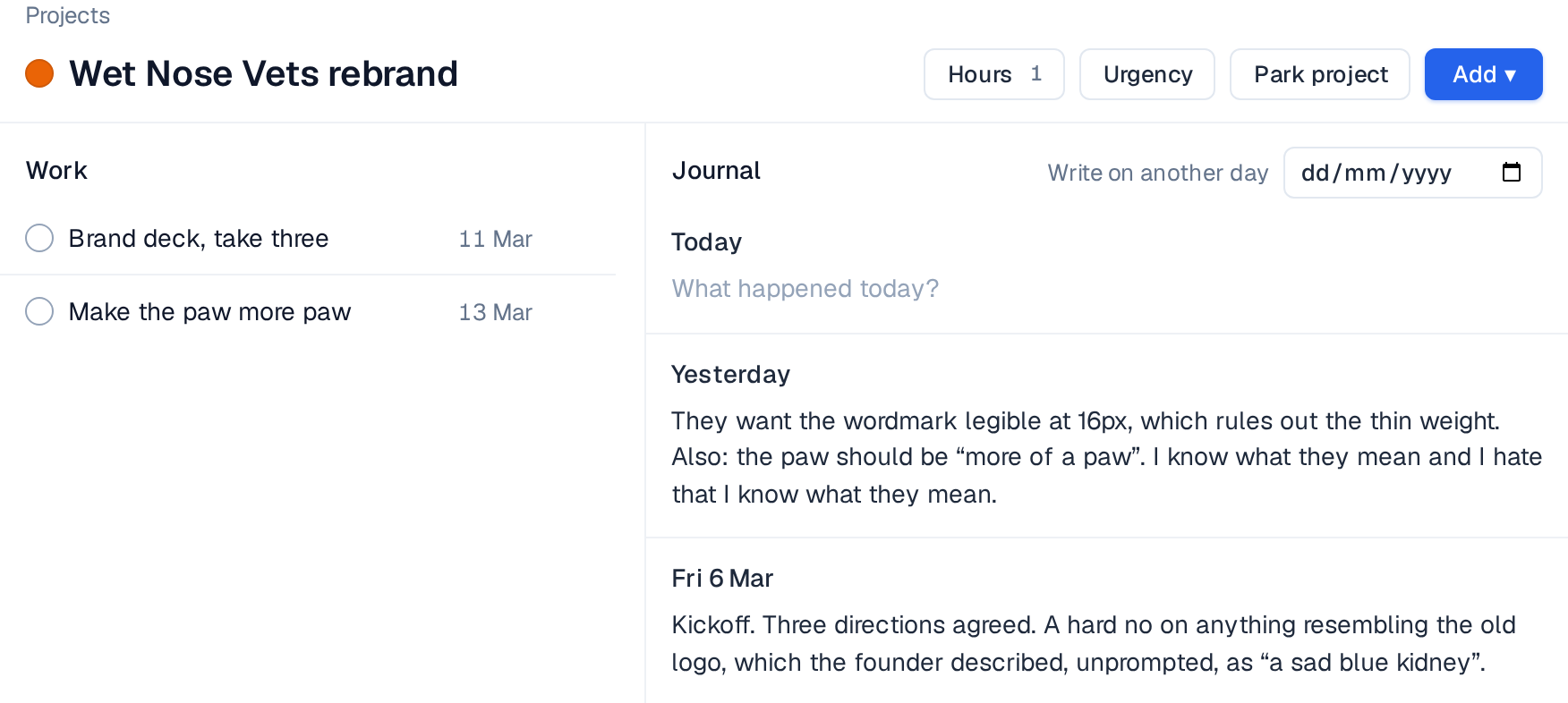
Group tasks, notes and plans into projects, then colour. Each project has its own workspace, so everything it needs stays together. Increment learns from what you have already filed to suggest a project for each new task.
- Colour the whole calendar by project, or keep it by type
- Set a project to only be scheduled within certain hours
- Move a project to the backlog to stop it being scheduled for now
Goal tracking
Set a target — three runs a week, an hour of Spanish a day — and tick each session off from the sidebar as you finish it. Analytics help you keep track.

Everything else Increment does
Projects
Hours & views
Review & sync
Pricing: £6 a month, £48 a year, or £120 once
Subscription plans start with a 14-day, no-card, free trial.start the free trial
- Unlimited events, tasks and goals
- Every feature on this page
- Cancel any time; it runs to the end of the period you paid for
- Works out at £4 a month
- A third off the monthly price
- Every feature on this page
Every feature, every plan
Questions
Want to chat? Contact us at [email protected]
Is Increment an AI calendar?
Increment is AI in the traditional sense that it builds a schedule by intelligently weighing a variety of factors, such as deadlines, urgency, and your unique working patterns, to find a plan that works for you.
What happens to my data?
Increment is local-first, meaning your calendar data stays on your device and never gets sent anywhere. If you choose to sync Increment between multiple devices, then we store your calendar securely for the purpose of transferring it. Increment will never access or sell your calendar data.
How is this different from Motion, Reclaim or Sunsama?
Increment schedules tasks and goals in one place, runs in the browser with nothing to install, and costs £48 a year or £120 once. We keep a priced comparison of all the options, including the cases where Increment is the wrong answer.
Is there a free trial?
Yes, you can try everything in Increment for free for 14 days. No card details required.
Can it connect to my existing calendar?
Yes, read our guides to see how.
What if I don’t like the schedule it gives me?
Drag it, resize it, or pin it in place. Increment schedules around whatever you have fixed, but leaves you in complete control to change the plan.
Does it work on Windows, Mac and Linux?
Yes.
Can I use Increment across multiple devices?
Yes. Sign in to sync your calendar across multiple devices.
I’m a student — is there a discount?
Yes. Email [email protected] from your institutional address for a 30% discount code on annual or lifetime plans.
Do you do team or enterprise deals?
Get in touch at [email protected] and we will work something out.
Try it today.
Import your existing calendars, add three things you have been putting off, and press Reschedule.
- Sort out my life13 Mar
- Go for a run
- Download Increment