Upgrade From Google Calendar Without Moving Your Events
Most people who live in Google Calendar don't need a new calendar. They need a planner that works on top of it. Google Calendar keeps track of events well, but it does not decide when your tasks and habits get done. You choose a time for every task yourself, and nothing moves when the day goes off course. A planner that reads your Google events can fit that work into the gaps between them, and you keep adding meetings in Google as you do now.
What Google Calendar does not do for planning
Google Calendar records time you have already set aside. It does not set time aside for you. Google's help page on tasks says a task takes a start date and time, where you enter how long you plan to spend on it, and a deadline, which appears in the "All day" section. You choose the slot yourself. An unfinished task goes into a "Pending tasks" list, and Google does not find it a new time. Recurring tasks cannot take an end time.
Google Calendar also has no feature for habits. Google removed Goals, the feature that found time for things like "exercise three times a week", in November 2022. At the time it pointed users to recurring events, repeating tasks or focus time, and focus time needs a work or school account. A recurring event fixes the time in advance. When a meeting lands on Tuesday's gym slot, you have to find the session a new time yourself.
Two ways to add planning on top of Google Calendar
There are two kinds of planner for Google Calendar. One kind writes its plan into your Google calendar. The other reads your Google calendar and keeps the plan in its own app. Which one suits you depends on whether other people need to see your planned work in Google.
Planners that write into Google Calendar. Reclaim asks for read, write and event details permissions and creates its focus time, habits and tasks as real Google Calendar events. Morgen describes two-way sync: changes made in Morgen go back to Google Calendar. FlowSavvy reads your Google events on its free plan, and sending its tasks to Google is a Pro feature. The benefit is that colleagues who check your availability in Google see your planned work. The drawback is that the app can change your Google calendar, and your Google calendar fills with blocks that move every time the plan changes.
Planners that read Google Calendar through a link. Increment subscribes to the secret address in iCal format that Google gives every calendar. That address is read-only, so Increment cannot add, move or delete a Google event. Your Google calendar stays exactly as it is, and your planned work is in Increment's week grid. If you want some of that work to show in Google, Increment can publish it as a separate calendar that Google subscribes to.
Google Calendar planners compared
Four planners that add scheduling on top of Google Calendar compare as follows. Prices were checked in November 2026.
| How it connects to Google | Writes to your Google Calendar | Habits and standing goals | Free plan | Paid price (November 2026) | |
|---|---|---|---|---|---|
| Reclaim | You approve Google permissions | Yes, as Google events | Habits; 1 habit on the free plan | Lite: 1 habit, up to 2 connected calendars, plans 1 week ahead | Starter: $10 per seat a month billed yearly, $12 billed monthly |
| FlowSavvy | You connect Google Calendar | Tasks only, on Pro | Repeating tasks; 3 on the free plan | Free: 3 repeating tasks, 1 set of scheduling hours, no priorities or dependencies | Pro: $10 a month billed yearly, $14 billed monthly |
| Morgen | You connect Google Calendar (two-way sync) | Yes | Recurring tasks and routines | None; 14-day trial | $15 a month billed yearly, $30 billed monthly |
| Increment | You paste Google's secret iCal address | Publishes your plan as a calendar Google can subscribe to | Goals, set as sessions per day, week or month, with no limit | 14-day trial with no card, plus a free demo | £6 a month, £48 a year, or £120 once |
For habits, the biggest difference is between a repeating task and a goal. Increment's Goal is the closest thing to what Google removed. You enter something like "Gym, 3 sessions of 60 minutes a week". Increment spreads the sessions across different days, fits them around your Google events and stops placing them once the target is met. When the week is full, goals share the free time in proportion to their priority.
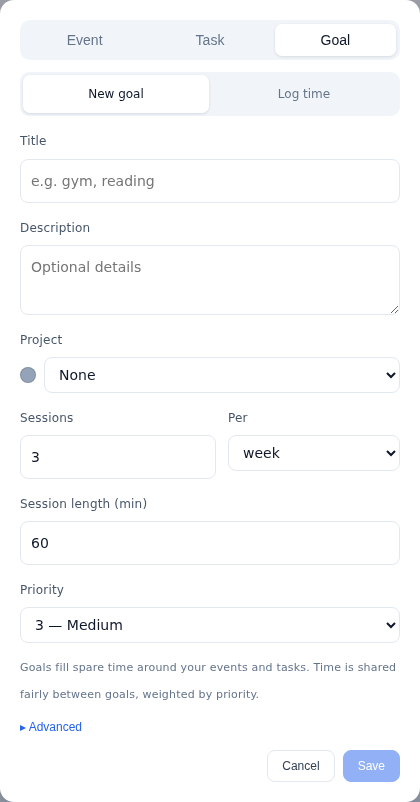
Every Increment plan includes every feature with no caps. That covers repeating tasks, goals, sets of hours, priorities and dependencies, which are the features FlowSavvy's and Reclaim's free plans limit. For a fuller comparison with each app, see Increment vs Reclaim, Increment vs FlowSavvy and Increment vs Morgen.
How to set up Increment on top of Google Calendar
To set up Increment on top of Google Calendar, you paste Google's secret address into Increment, then add your tasks and goals and press Reschedule. It takes about as long as filling in your to-do list.
- Start a trial. Enter your email at app.increment-app.com/start. Subscribing to a calendar by link needs an account, and the trial gives you one for 14 days with no card.
- Copy each Google calendar's secret address in iCal format. Each Google calendar has its own secret address, and Google only shows it in the settings on a computer. How to find your Google Calendar iCal link gives the steps. If your Google Workspace administrator has turned the secret address off, export the calendar as an
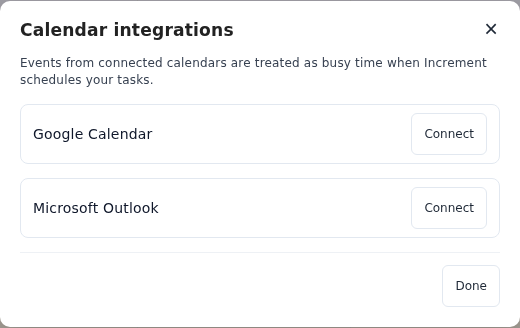
.icsfile and use Import a file instead, which copies the events once. - Paste it into Increment. Open Calendars… in the sidebar (on a phone, Settings is in the Projects tab), choose Subscribe by link, paste the address into Calendar address and press Subscribe. An account can hold up to 10 calendar links. Other calendars that give a link, such as a university timetable or UK bank holidays, are added the same way.
- Decide what counts as busy. Leave Counts as busy on for your own calendars. Turn it off for a partner's or colleague's calendar that you want to see but that should not block your work.
- Set your hours. Hours… starts with Sleeping, Working and Personal hours. Change them, or add others such as a set of study hours.
- Add your tasks and goals. A task needs only a duration. Add a deadline and an urgency from 1 to 5 where they apply.
- Press Reschedule. Increment places your tasks and goals as blocks in the gaps between your Google events, over the next 14 days.
What a week looks like with Google Calendar feeding Increment
With Google Calendar feeding Increment, you keep putting meetings in Google, and Increment works out where everything else goes. Invitations, the Google phone app and shared Google calendars all keep working as before.
- New Google events reach Increment on their own.
- Your plan does not move until you press Reschedule. A new Google event marks its time as busy straight away. The blocks around it stay where they are until you press Reschedule, which plans the week again from where things stand.
- Google events are read-only in Increment. To move or edit a meeting, change it in Google.
- Tasks that will miss their deadline are flagged. A task that cannot fit before its deadline is still placed, marked at risk, with the number of minutes that could not be fitted in time.
- You can still plan by hand. Drag or resize a block and the rest of the week rearranges as you drag. The block stays pinned where you drop it, and double-clicking a block pins or unpins it.
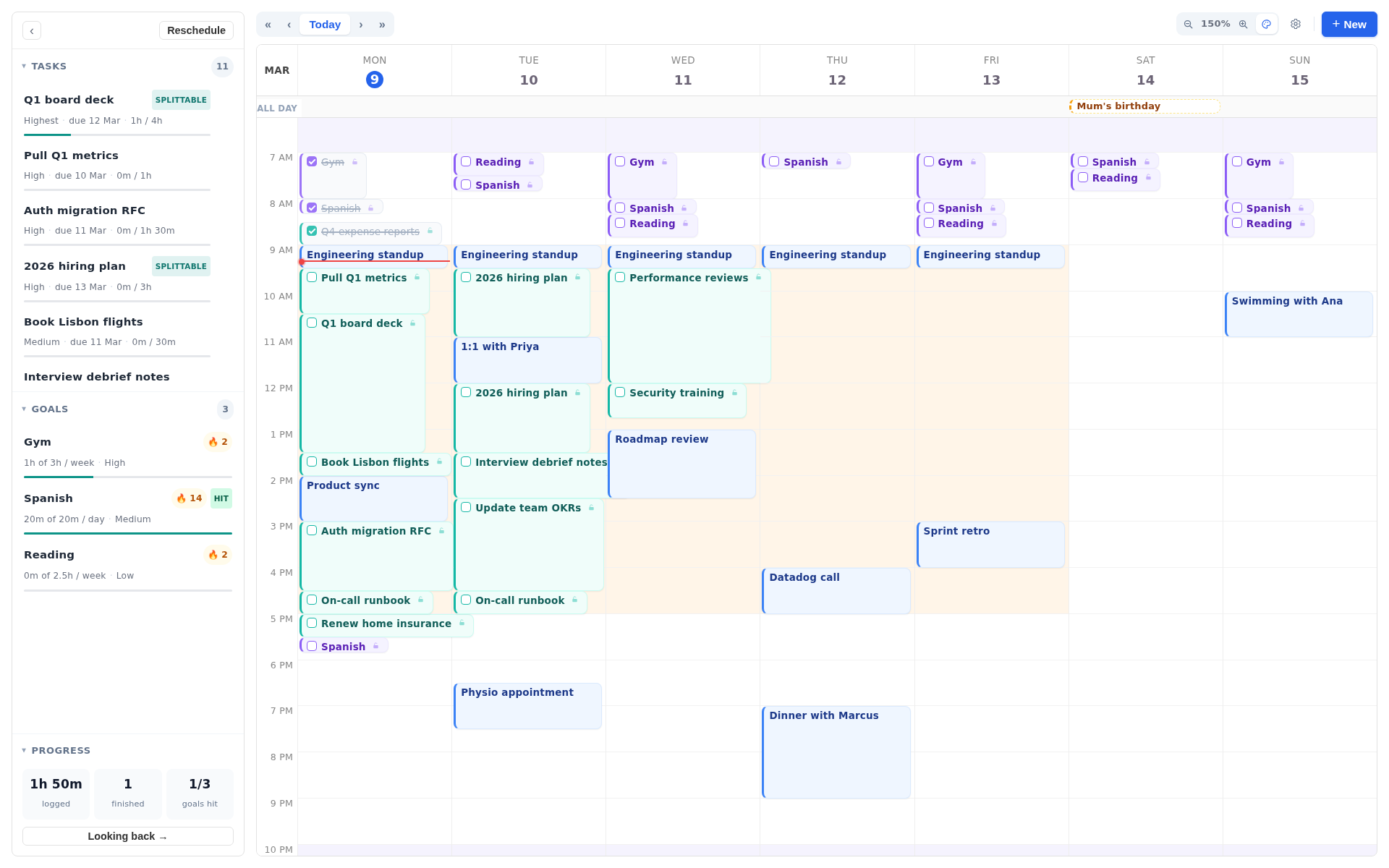
Projects and folders let you set rules once instead of on every task. A folder of university projects can be limited to weekday working hours, for example, and every task filed inside it follows that rule. Once you tick blocks off, Looking back shows where your time went, by day, project and goal.
How to see your Increment plan inside Google Calendar
To see your Increment plan in Google Calendar, publish it from Increment as a link and add that link to Google as a subscribed calendar. In Increment, open Calendars…, choose Share a calendar and press Publish a calendar…. Choose what it covers, then press Make link and Copy link. In Google Calendar on a computer, go to Other calendars, choose Add other calendars, then From URL, and paste the link.
By default the shared calendar shows busy times only. You can switch it to Everything, including how to join meetings. Google does not say how often it refreshes calendars added from a URL, so changes may not appear in Google straight away.
Questions
What can I use instead of Google Calendar for planning?
You don't need to replace it. A planner such as Reclaim, FlowSavvy, Morgen or Increment reads your Google events and fits tasks and habits into the gaps, while you keep adding meetings in Google.
Does Google Calendar schedule tasks automatically?
No. You choose the slot for each task yourself, and an unfinished task goes into a Pending tasks list without Google finding it a new time.
Does Google Calendar have habit tracking or goals?
Not any more. Google removed Goals in November 2022 and pointed users to recurring events, repeating tasks or focus time, which fix the time in advance.
Can Increment change or delete my Google Calendar events?
No. Increment subscribes to Google's secret iCal address, which is read-only, so it cannot add, move or delete a Google event.
How do I connect Google Calendar to Increment?
Copy the calendar's secret address in iCal format from Google's settings on a computer. In Increment, open Calendars, choose Subscribe by link, paste it into Calendar address and press Subscribe.
Can I see my Increment plan in Google Calendar?
Yes. Publish a calendar from Increment, copy the link, and add it in Google Calendar under Other calendars, From URL.
Try Increment's free demo: tell it one thing you need to get done this week and watch it planned around a week of fixed meetings, with no sign-up.
Try the demo