Increment Review (2026): Who It Suits, How It Schedules and What It Costs
Increment suits one person with a full week who wants tasks, habits and fixed commitments planned together, and who would rather pay £48 a year or £120 once than work within a capped free plan. One of its main strengths are goals, which it schedules as their own kind of item, and projects and folders that set scheduling rules once for everything inside them.
What Increment is
Increment is a calendar app that schedules flexible work around fixed commitments. You enter three kinds of item:
- Events: fixed time, such as meetings, lectures or a shift.
- Tasks: a finite piece of work with a duration and, if you want, a deadline.
- Goals: a standing intention to spend time, such as "gym three times a week".
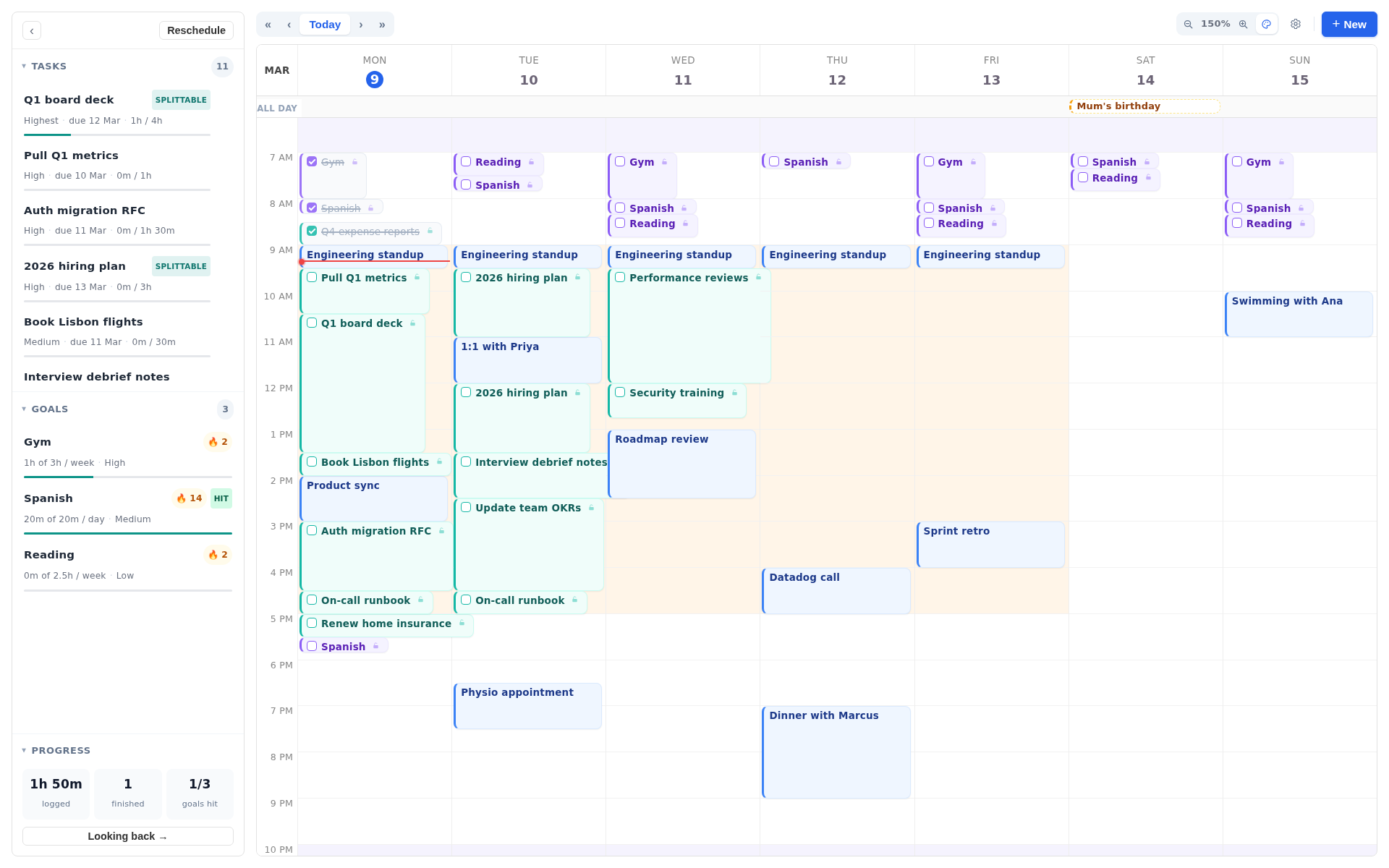
Increment never moves events. It places tasks and goals as blocks in the free time on a week grid, planning 14 days ahead. It runs in any modern browser on desktop and phone, installs as a web app that opens in its own window, and works offline.
Who Increment suits
Increment is built for one person planning their own week. It fits these people best:
- Students with a fixed timetable, coursework deadlines and things they want to keep up, such as the gym or reading.
- People with a job and something on the side, who need day-job work kept to working hours and side work kept out of them.
- Freelancers juggling several clients, each of which can be a project with its own hours and its own entry on the time breakdown.
- People who have outgrown a free auto-scheduler plan, or are about to pay for one. Every Increment plan includes every feature with no caps. Increment vs FlowSavvy goes through what that means against one popular free plan.
- People who like to adjust the plan by hand, dragging blocks around instead of accepting whatever the algorithm produced.
If you are choosing between several AI calendars, The Best AI Calendar in 2026 compares the alternatives.
What Increment does well
Goals are scheduled as goals, not as repeating tasks
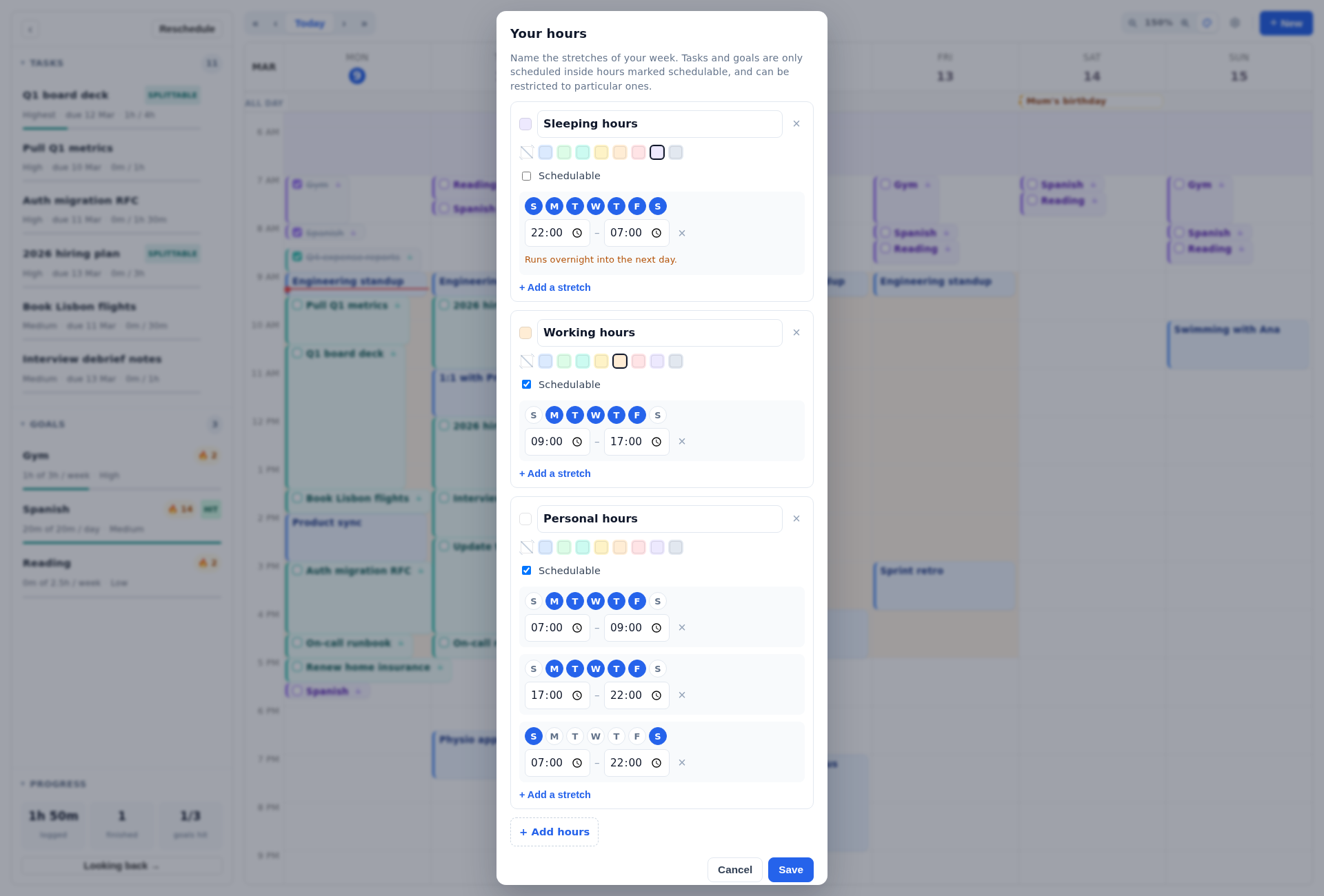
A goal in Increment is set as a number of sessions of a given length per day, week or month. The default is three 60-minute sessions a week. Increment spreads a goal's sessions across different days, fits them around events and tasks, and stops placing them once the target is reached. When time is short, goals share it in proportion to their 1–5 priority, and no goal goes past its own target. A Shortest session setting, 15 minutes by default, stops a goal being squeezed into gaps too small to be useful.
Most auto-schedulers handle habits as repeating tasks with due dates. That works poorly for "some time each week", because a habit has no single moment when it is due.
Projects and folders set scheduling rules once
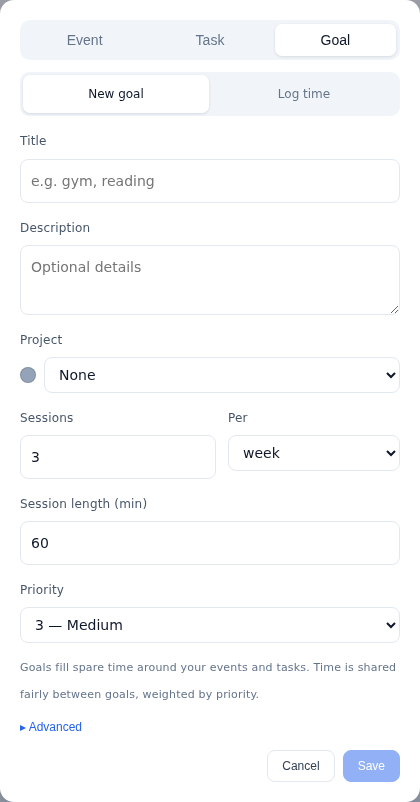
In Increment, a project holds tasks, goals and events, and a folder holds projects and other folders. A project or folder can set two rules for everything beneath it: which hours its work may use, and the urgency new tasks start at. A rule such as "uni work only on weekdays, 9–5" is set once on a folder, not on every task. A project's hours can only narrow a task's own limit, so work stays inside its group's hours.
Each project also has its own colour, its own page and a dated journal. Parking a project keeps its work but stops it being scheduled, which is useful for a client on hold or a module that has finished for the term.
Hours you name and define
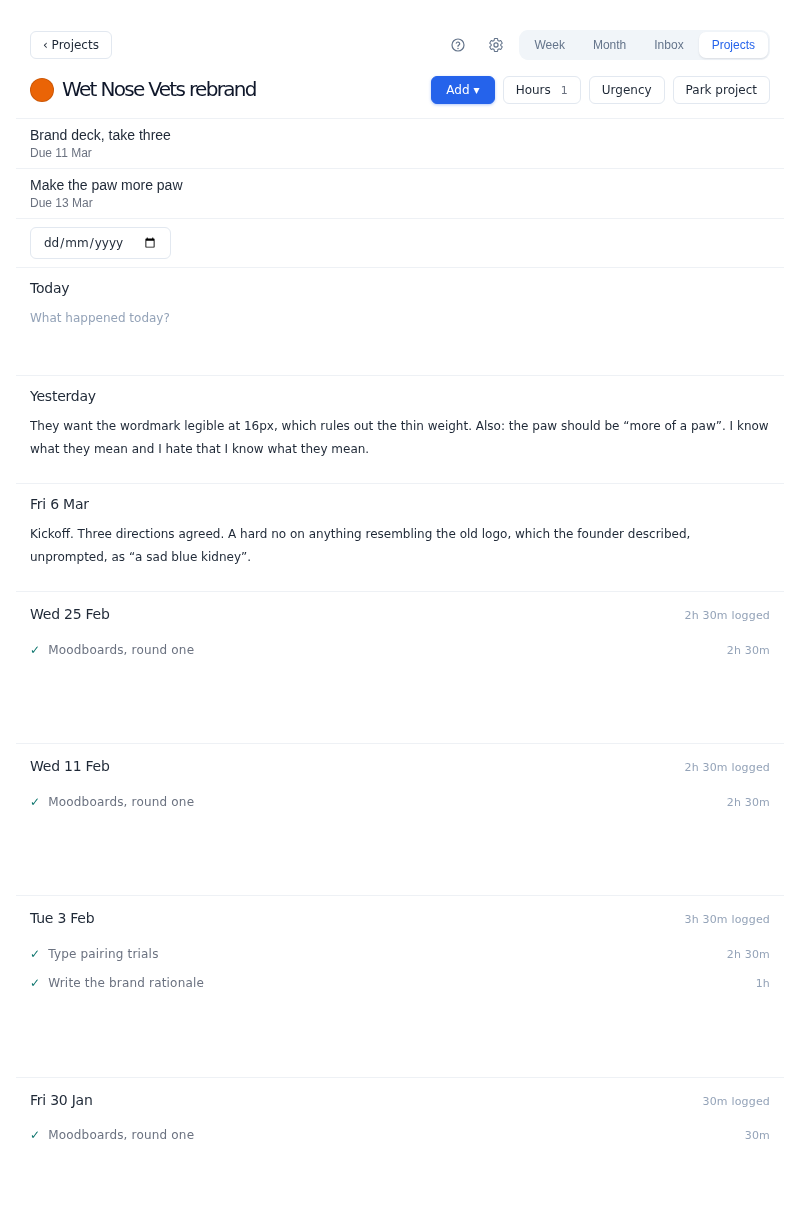
Hours in Increment are named stretches of the week, such as working hours, personal hours, study time or a second job. A new calendar starts with three sets of hours: sleeping (22:00–07:00, with no work planned), working (09:00–17:00 on weekdays) and personal (everything else from 07:00 to 22:00). You can add as many sets as you like, each with as many stretches as you like, including overnight ones. Any task, goal, project or folder can be limited to particular sets.
No feature caps on any plan
Increment has no limits on any plan for repeating tasks, repeating events, goals, projects, folders or sets of hours. Every task on every plan gets priority (deadline plus 1–5 urgency), Depends on, Can split and Earliest start. The three plans differ only in how you pay.
Planning by hand on the week grid
Any block or event in Increment can be dragged or resized, and the rest of the plan rearranges live while you drag. A dragged block stays pinned where you drop it, and double-clicking a block pins or unpins it. Pinned and completed blocks survive the next Reschedule. On a desktop, Ctrl-click or Cmd-click selects several blocks so they can be completed, filed into a project or parked together.
Looking back turns the plan into a record
Ticking off blocks in Increment turns the plan into a record of where your time went. The Looking back page has three tabs: This week, Trends and Goals. It shows:
- time logged, tasks finished and goal sessions ticked off;
- a day-by-day chart;
- a year-long activity heatmap with streaks;
- hours per week;
- time by project or by folder;
- each goal against its target.
Every figure can be narrowed to a single project.
How Increment's scheduler decides where work goes
Increment's scheduler is a rules-based algorithm, not a language model, and the same inputs always give the same plan. It places work in three tiers:
- Pressing tasks: those with a deadline, urgency above Medium, a repeating task's turn, or anything such a task depends on.
- Goals.
- Every other task.
Within a tier, Increment places tasks highest priority first, each into the earliest free time that can hold it. Priority is calculates as a combination of how soon a deadline is, and the user-supplied urgency, so a task with no deadline is ordered by urgency alone. A task that cannot fit before its deadline is still placed, flagged at risk, with the number of minutes that could not be scheduled in time.
The plan changes in two ways. A few edits replan straight away: creating or moving a busy event, drawing a task into a slot on the grid, and dropping a dragged or resized block. Other changes leave the week as it is until you press Reschedule, which plans afresh from where things stand. These include editing a task, logging time, changing an estimate, and new events arriving from an outside calendar.
Two behaviours are worth knowing. Increment plans 14 days ahead in individual blocks. And if one turn of a repeating task cannot fit inside its own period, Increment keeps the part that fits and drops the rest, rather than carrying it into the next period.
Increment is AI in the traditional sense: an intelligent scheduling algorithm that weighs deadlines, urgency, durations, splitting, dependencies, allowed hours, fixed events and goal targets to find a plan. It uses no language model, and nothing you type is sent to an AI provider.
How Increment works with Google Calendar, Outlook and iCloud
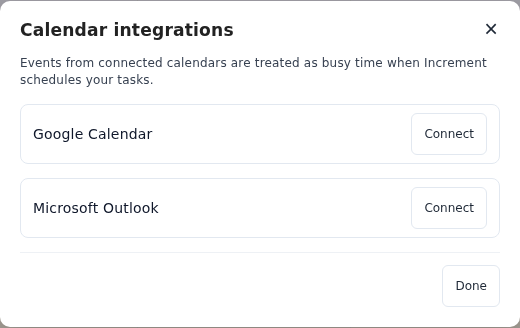
Increment brings other calendars in through a single settings row, Calendars…, which has four panels:
- Microsoft Outlook connects by signing in with read-only access.
- Subscribe by link takes any
.icsorwebcal://address, such as Google's secret address, an iCloud public calendar or a university timetable, and keeps it up to date. - Import a file copies the events in an
.icsfile once and does not need an account. - Share a calendar publishes your plan as a link that Google Calendar, Apple Calendar or Outlook can subscribe to. It shows busy times only by default.
Each connected calendar has a Counts as busy switch that is separate from Show on my calendar. This lets you see a colleague's calendar without it blocking your own work. These guides explain where to find each link: Google, iCloud, Outlook and university timetables.
Increment's price and free trial
Increment costs £6 a month, £48 a year or £120 once (November 2026). Every plan includes every feature.
| Plan | Price (November 2026) | Notes |
|---|---|---|
| Monthly | £6 a month | Cancel any time; runs to the end of the period paid for |
| Yearly | £48 a year | Works out at £4 a month, a third off monthly |
| Lifetime | £120 once | No recurring payment; includes all future updates |
Every account starts with a 14-day free trial with every feature and no card. When it ends without a plan, the calendar becomes read-only on every device and nothing is deleted. Students get a 30% discount code on Yearly or Lifetime by emailing [email protected] from an institutional address.
How to judge Increment before paying
Increment can be judged in three stages, the first two without signing up:
- The interactive demo at app.increment-app.com/try is the real app running over a made-up week. It asks what your week looks like, what gets in the way and one thing you need to get done, then plans it into a sample week. Nothing is saved.
- The free schedule maker runs the real scheduler on events and work you type in, then prints the result. What you type stays in the browser and is forgotten when the tab closes.
- The 14-day trial at app.increment-app.com/start gives you every feature with no card. That is enough time to load a real fortnight, press Reschedule after a bad day, and check whether Looking back shows where your time actually went.
Questions
Is Increment app worth it?
It is worth it for one person with a busy schedule who wants tasks, habits and fixed commitments planned together, at £48 a year or £120 once rather than a capped free plan or a per-seat subscription.
How much does Increment cost?
Increment costs £6 a month, £48 a year or £120 once (November 2026). Every plan includes every feature, and every account starts with a 14-day free trial with no card.
Is there a free trial?
Yes: 14 days with every feature and no card details required. There is also a free demo and a free schedule maker with no sign-up. When the trial ends without a plan, the calendar becomes read-only and nothing is deleted.
Does Increment use AI?
Yes, in the traditional sense: a scheduling algorithm weighs deadlines, urgency, durations, dependencies, allowed hours, fixed events and goal targets to find a plan. It uses no language model, and nothing you type is sent to an AI provider.
Is there an Increment app for iPhone or Android?
Increment installs from the browser on iPhone and Android as a web app, and it works offline.
Tell the free demo one thing you need to get done this week and see whether Increment plans a week you would actually follow.
Try the demo